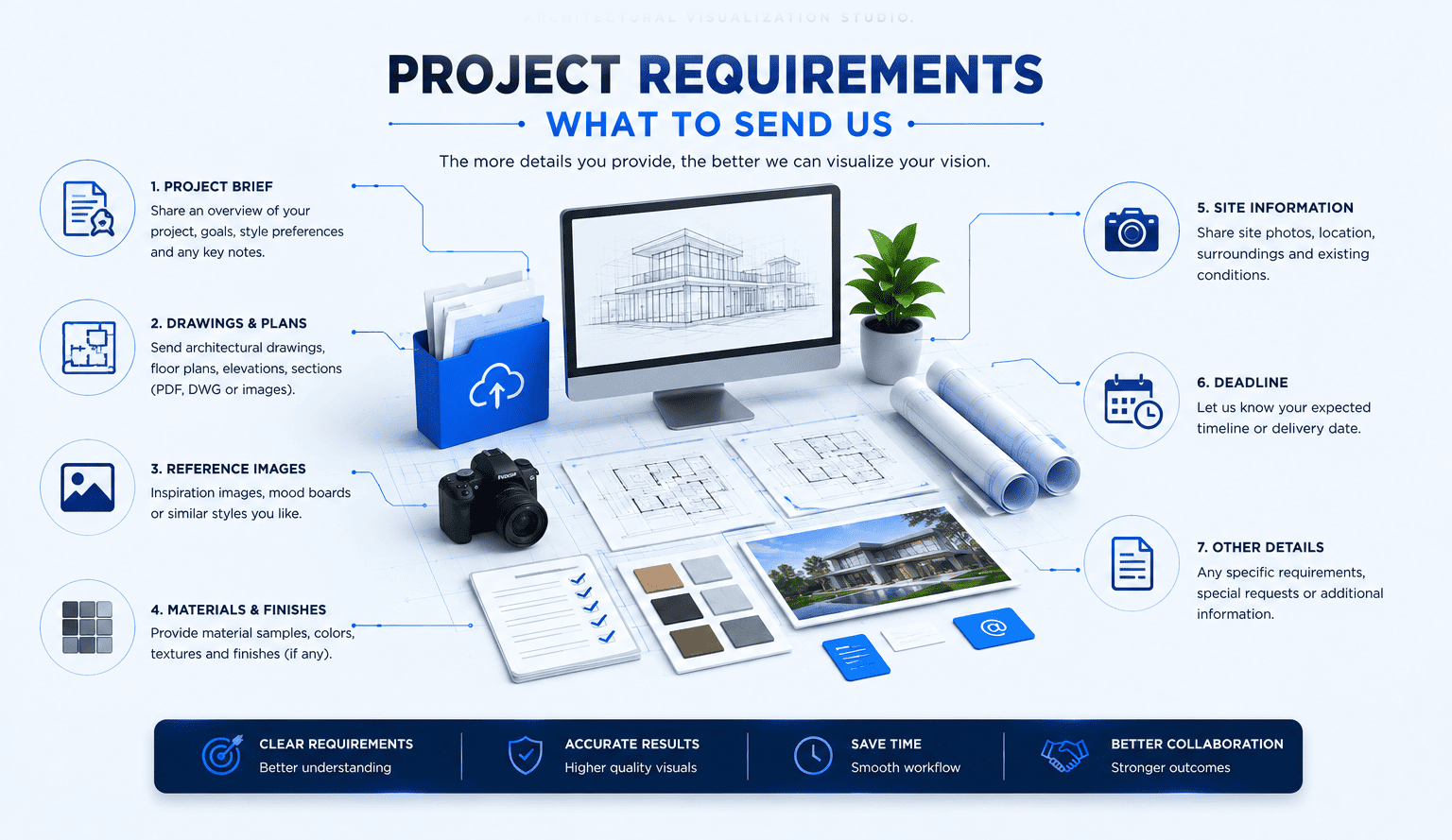
01 / 23Project Overview
The Single Most Useful Piece of Information
A short description of the project and its purpose helps us understand what we are producing.
Useful Details
What the project isWhat stage it is atWho the visuals are forWhere they will be used
Project Type / Discipline
Which Kind of Visualization Applies
The project category determines how we plan the production workflow.
ArchitecturalReal estate developmentInteriorIndustrialProduct2D CAD & draftingTechnical visualizationWalkthrough / animation
03 / 23Available Source Files
What Already Exists
Any existing project information helps us match the visual to the actual design.
CAD drawingsPDF plansFloor plansElevationsSectionsSite plansSketchesPhotographs
04 / 233D Models
If a Model Already Exists
Existing 3D models can sometimes be incorporated into the workflow, saving time in modeling.
Model Types
Architectural modelProduct modelMachine modelBIM / model dataScene-ready asset
We evaluate whether the existing model is suitable or needs preparation before visual production.
05 / 23Technical Drawings
For Accuracy and Detail
Technical drawings help us represent dimensions, form and layout correctly.
Floor plansElevationsSectionsDetailsProduct drawingsAssembly drawingsEngineering information
06 / 23Site Information
The Surrounding Context
For buildings and developments, site context helps place the project in its real environment.
Site planBoundariesSurrounding buildingsRoadsLandscapeSite photographsTopography
07 / 23Materials & Finishes
The Surface of the Project
Material references help us render the project with the correct visual character.
Exterior materialsInterior finishesFlooringCladdingsProduct surfacesColorsMaterial samplesMood references
If materials are not finalized, we can propose appropriate visual references.
08 / 23Furniture & Furnishing
For Interior and Lifestyle Visuals
Interior and lifestyle renders may include furniture, fixtures and decorative elements.
Furniture scheduleDesigner furnitureStandard period furnitureLighting fixturesAccessoriesArtworkNo furniture required
09 / 23Lighting Intent
The Atmosphere of the Visual
Lighting helps set the mood and communicates how the space or object feels.
DaylightGolden hourEveningNight sceneInterior lighting designStudio lightingIndustrial lighting
10 / 23Environment Context
The World Around the Project
Depending on the scope, the visual may include surrounding environment elements.
LandscapingGardensStreetsParkingPeopleVehiclesWaterSite context
11 / 23Intended Outputs
What the Final Deliverables Look Like
Knowing the intended output helps us scope the right production work.
Exterior rendersInterior rendersAerial / master plan viewsProduct rendersIndustrial visualsFloor plan visualsAnimationWalkthroughTechnical illustrations
12 / 23Number of Images
How Many Outputs You Need
The number of final visuals directly affects scope and scheduling.
Single hero imageThree to five viewsFull set of viewsMarketing setI am not sure yet
13 / 23Resolution & Aspect Ratio
How the Visual Will Be Used
The intended application determines resolution and framing.
Standard HD (1920×1080)High resolution (4K and above)Print resolution16:9Square formatsSocial / webPresentationLarge format
14 / 23Animation Requirements
When Motion Is Required
For animation and walkthrough projects, additional parameters are needed.
Video durationScene sequenceWalkthrough pathFlythroughCamera anglesVoiceover / musicTarget platform
15 / 23Post-Production
Final Visual Refinement
Post-production can be included to prepare the final output for its application.
Color gradingSky replacementAtmosphereComposite adjustmentsPeople & vehiclesFinal polishNot required
16 / 23Brand & Presentation Style
Matching Your Look
Reference materials help us align the visual style with your brand or presentation standards.
Brand guidelinesExample visualsStyle referencesExisting campaign imageryCompetitor referencesTone of presentation
17 / 23Reference Imagery
Visual Direction
Mood boards and example images are among the most efficient ways to communicate style.
Mood boardReference imagesPreferred lookLevel of realismPhotographic styleIllustrative style
18 / 23Timeline
When You Need It
Understanding the required timeline lets us plan production realistically.
Immediate / urgentWithin weeksWithin a monthFlexible scheduleFixed client deadlineMilestone-based
19 / 23Budget & Approval Levels
Scope Alignment
Understanding budget expectations and approval levels helps us propose an appropriate scope.
Indicative budgetQuote requiredApproval authorityInternal approval processDecision makersApproved for quotation
20 / 23Revision Expectations
How Feedback Will Work
A clear revision approach keeps production moving efficiently.
Review by defined stagesConsolidated feedbackApproval pointsMinor adjustmentsSpecific review datesSigned-off preview
21 / 23Confidentiality & Usage
How the Work Will Be Used
Letting us know the intended use and confidentiality level helps us handle the project appropriately.
Internal usePublic marketingClient presentationCommercial useNotification requiredDo not reference publicly
22 / 23Approvals & Reviewers
Who Reviews the Work
Knowing the review team helps us coordinate feedback efficiently.
Single reviewerDesign teamMarketing teamDeveloperArchitectExternal stakeholdersBoard / investors
23 / 23Delivery Format
How You Receive the Final Files
Final deliverables are provided digitally in the agreed formats.
Images
JPGPNGTIFFOther agreed formats
Video
Agreed digital video formatAgreed resolutionAgreed aspect ratio
CAD / Technical
Agreed CAD or document formats
Source/project files are provided only where specifically included or agreed.